A New Coding Order: OpenCode and Its Companions
I had been using GitHub Copilot for a while and was generally satisfied. That changed with the announcement in April. As of June 1, 2026, Copilot is moving to fully token-based pricing. On top of that, new subscriptions are currently unavailable. This post covers what changed and the alternative I found.
What Is Changing with Copilot?
 Source: The Register
GitHub announced on April 27 that Copilot’s pricing model is changing completely. The system that previously worked on “premium request” counts is being replaced by token-based GitHub AI Credits starting June 1. Plan prices stay the same (Pro $10, Pro+ $39), but users now receive credits worth that amount. Credits are consumed based on input, output, and cache tokens, priced according to each model’s API rate.
Here is the frustrating part: when credits run out, it is no longer possible to fall back to a lower model. Fallback is completely gone. Either purchase additional credits or Copilot stops working. Code completion (inline suggestions) remains unlimited and free. But chat, agent mode, and different models all consume credits.
Worse still: new Pro, Pro+, or Business subscriptions cannot be purchased right now. GitHub has temporarily paused new sign-ups to stabilize the system during the transition. The door is closed for anyone wanting to start with Copilot. Even existing users face uncertainty about monthly costs.
This situation pushed me to look for alternatives. What I found was OpenCode.
What Is OpenCode?
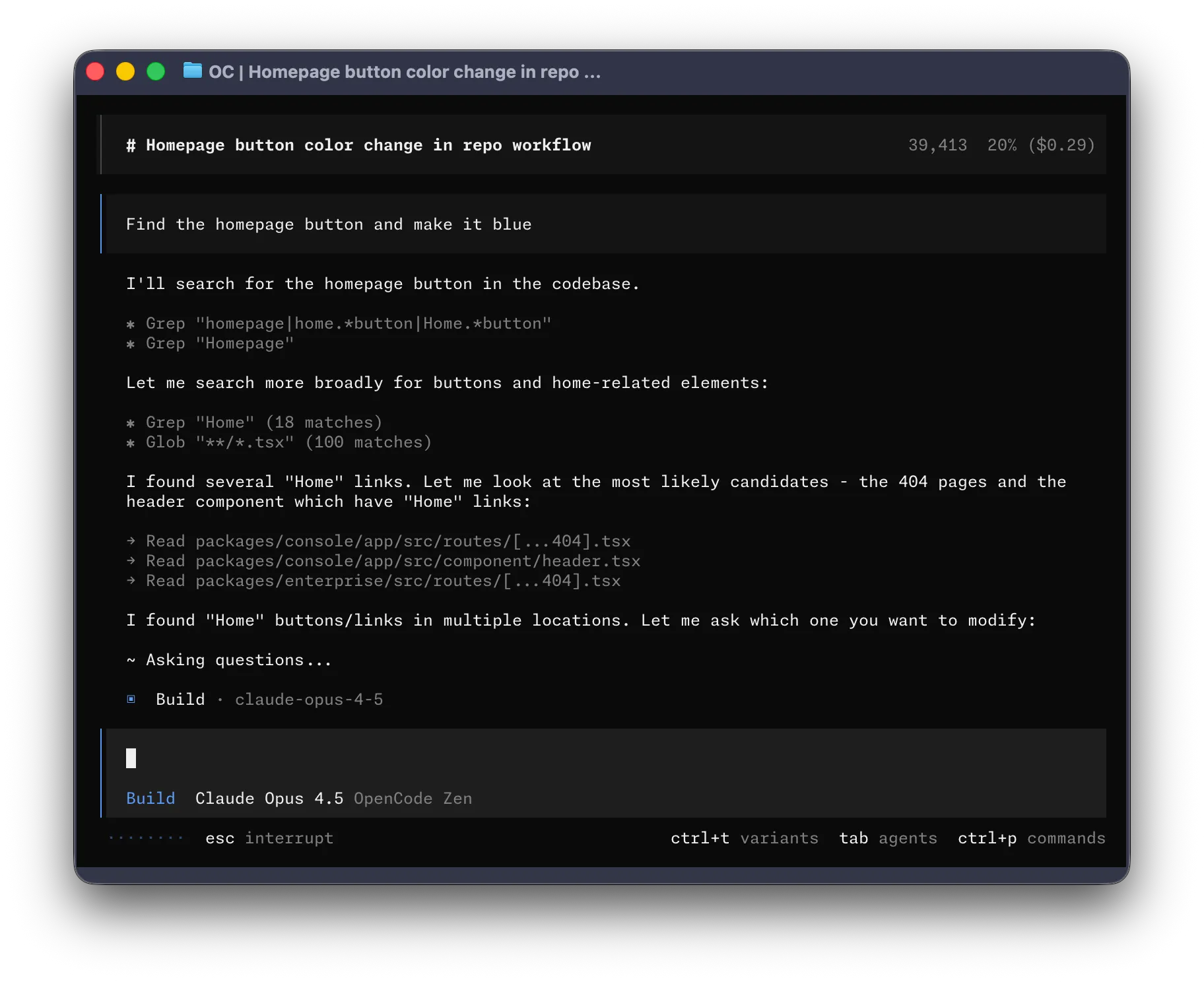 Source: github.com/anomalyco/opencode
OpenCode is an open-source AI coding agent with 167K GitHub stars, over 900 contributors, and more than 7.5 million monthly active developers. What started as a terminal interface now runs on desktop and IDE plugins across every environment, all under the MIT license.
Key differences from Copilot:
- Platform approach: Connect to any model from over 75 providers, including Claude, GPT, Gemini, and local models. No vendor lock-in.
- Privacy: Code and context data are not stored on servers. Suitable for enterprise environments.
- LSP integration: Automatically loads the appropriate LSP for the project language and provides richer context about the code.
- Multi-session: Run multiple agents in parallel on the same project and share sessions.
- Built-in agents: Switch between
build(full access) andplan(read-only, analysis-focused) modes usingTab.
Usage is straightforward: type opencode in the terminal within the project directory. File reading, code writing, and shell commands all happen with user approval. A desktop app is also available for those who prefer not to use the terminal.
OpenCode Go
The most attractive part of OpenCode is the Go package. The first month costs $5, then $10 per month. Models included in this package:
- DeepSeek V4 Pro and DeepSeek V4 Flash
- Kimi K2.5 and Kimi K2.6
- GLM-5 and GLM-5.1
- Qwen 3.7 Max, Qwen 3.6 Plus
- MiniMax M2.5, MiniMax M2.7
- MiMo-V2.5-Pro, MiMo-V2.5
Most of these models offer context windows ranging from 200K to 1M tokens, making it possible to load an entire project into the model at once. Usage limits are $12 per 5 hours, $30 per week, and $60 per month. In other words, a $10 package provides API usage worth $60 at market rates. That is far more than Copilot Pro+‘s $39 package.
How Good Are the Models?
LiveBench (2026-01-08) overall rankings:
| Model | Overall Score | Coding (SciCode) |
|---|---|---|
| GPT-5.5 Thinking | 80.71 | 92% |
| Claude Opus 4.8 | 77.22 | 92% |
| Claude Sonnet 4.6 | 75.47 | 92% |
| DeepSeek V4 Pro | 73.58 | 91% |
| Kimi K2.6 | 72.17 | 84% |
| GLM-5.1 | 70.18 | 85% |
| Kimi K2.5 | 69.07 | 85% |
| DeepSeek V4 Flash | 67.25 | 80% |
DeepSeek V4 Pro trails Claude Opus 4.8 by only 3.6 points, yet the price difference is at least 4x. Coding scores are 91% versus 92%. For daily development, this gap is barely noticeable. The 1M token context window allows processing the entire project in one go, which produces much better results than Copilot’s file-by-file approach.
Source: LiveBench Leaderboard, Artificial Analysis Intelligence Index — visit these pages for up-to-date model comparisons.
Using It Like Copilot in VS Code
The terminal is great, but for those who cannot give up VS Code, the OpenCode Copilot Chat extension is available. This extension adds OpenCode Go models directly to the VS Code Copilot Chat model selector. Models like DeepSeek V4, Kimi K2.6, and GLM-5.1 can be selected in the Copilot panel and used just like Copilot.
Setup:
- Make sure the Copilot Chat extension is installed in VS Code.
- Install the OpenCode Copilot Chat extension from the marketplace.
- Click the model selector in the Copilot Chat panel, then Manage Models, and select OpenCode Go.
- Enter the API key obtained from opencode.ai and select the desired models.
VS Code 1.120 or higher is required. The Language Model Chat Provider API introduced in this version allows third-party models to integrate with Copilot Chat through a BYOK (Bring Your Own Key) model.
OpenRouter vs OpenCode Zen
OpenCode also has a Zen package, a pay-as-you-go system offering tested models at API cost. The only addition to model prices is the credit card processing fee (4.4% + $0.30). However, OpenRouter is a better choice than Zen.
The reason is simple: OpenRouter’s platform fee is 5.5%, only slightly higher than Zen. But OpenRouter’s prompt caching system caches repeated context in agent workflows, reducing input costs by 50-90%. Since agent mode constantly sends the same files to the model, this caching provides significant savings.
OpenRouter also provides access to over 400 models from more than 60 providers through a single API. Claude Opus, GPT-5.5, Gemini, Grok, DeepSeek — they are all there. The openrouter/free models are an added bonus.
Oh My OpenAgent: The Real Game Changer
What truly makes OpenCode powerful is Oh My OpenAgent (OmO). Previously known as “oh-my-opencode,” it is an agent orchestration layer built on top of OpenCode.
OmO comes with internally specialized agents:
- Sisyphus: The main orchestrator. Plans, distributes tasks, and audits results. Does not leave tasks unfinished. Todo-driven aggressive parallel execution.
- Hephaestus (“The Legitimate Craftsman”): An autonomous deep worker. When given a goal, it explores on its own, researches patterns, and codes and tests end-to-end.
- Prometheus: Strategic planner. Interviews the user before writing code, defines scope, and produces a plan. Switchable via
Tab. - Atlas: Takes Prometheus’s plan, breaks it into subtasks, distributes them to agents, and independently validates results. Triggered by
/start-work. - Oracle: A read-only architecture consultant. Handles complex debugging, security assessment, and multi-system trade-off analysis. Does not write code, only provides guidance.
- Librarian: Documentation and open-source code researcher. Scans multiple repositories for library APIs, best practices, and implementation examples.
- Explore: Fast codebase grep. Uses low-cost, fast models for pattern discovery and file scanning.
Model Assignment Freedom
Each agent can be assigned a different model. The configuration file is .opencode/oh-my-openagent.json. In my personal setup, Sisyphus runs DeepSeek V4 Pro and Hephaestus runs DeepSeek V4 Flash. OmO also selects models automatically based on the task type: visual tasks go to Gemini, deep analysis to GPT-5.5, quick tasks to GPT-5.4 Mini.
Ralph Loop and Ultrawork: What Is the Difference?
Two of OmO’s most frequently confused features:
ultrawork(orulw): A keyword added to the prompt. IntentGate detects it and puts Sisyphus into “just do it” mode. The agent explores, plans, codes, and tests on its own with a single command. Ideal for simple and moderately complex tasks./ralph-loop: A slash command that puts the agent into a self-sustaining loop. It keeps going until it says<promise>DONE</promise>. There is a configurable 100-iteration limit. It can be stopped with/cancel-ralph./ulw-loop: A combination of Ralph loop and ultrawork. Runs at maximum intensity with parallel agents, non-stop.
Daily Workflow
The flow I recommend for beginners:
- Planning: Switch to Prometheus with
Taband describe the task. Prometheus interviews the user to find gaps and produces a plan. Alternatively, write@plan "add this feature"while in Sisyphus mode. - Plan approval: Once the plan is ready, type
/start-work. Atlas breaks the plan into subtasks, distributes them to agents, and validates the results. - Quick tasks: If no planning is needed, directly type
ulw fix this bug. The agent explores, fixes, and moves on.
Keyboard shortcuts: OpenCode uses ctrl+x as the leader key. Press ctrl+x first, then the command key.
| Shortcut | Function |
|---|---|
ctrl+x l | List and switch sessions |
ctrl+x n | Open a new session |
ctrl+x m | Show model list |
ctrl+p | Command palette |
Tab | Switch agent (Sisyphus → Hephaestus → Prometheus → Atlas) |
Escape | Cancel current operation |
Hermes Agent: Coding from Telegram
Hermes Agent, developed by Nous Research, is independent of OpenCode but works wonderfully alongside it.
 Source: github.com/NousResearch/hermes-agent
The biggest thing about Hermes: the agent does not live only in the terminal. It can be reached through Telegram, Discord, Slack, WhatsApp, and email. Run hermes gateway to start the messaging gateway, enter the Telegram bot token, and start messaging the agent from the phone. The gateway runs as a single process managing all platforms simultaneously.
With ACP (Agent Client Protocol) support, a bridge can be established between Hermes and OpenCode. A message sent to Hermes from Telegram can run as a coding agent in OpenCode. The reverse is also possible: results from an OpenCode agent can be sent back to Telegram.
MCP integration is another bonus. Browser control is possible through Chromium debug tools. The computer-use-linux MCP server allows controlling the Linux desktop. Browser automation, web scraping, and screenshots all work through MCP.
Another strong feature of Hermes: it learns on its own. After completing each complex task, it automatically creates a skill. These skills improve over time. It uses FTS5 to search past conversations and builds cross-session memory. The longer it is used, the smarter it gets.
If there is a spare laptop lying around, it can be put to use. Otherwise, it can be easily installed on a $5 server. Installation steps:
- Install Ubuntu or Alpine Linux.
- Install Hermes:
curl -fsSL https://raw.githubusercontent.com/NousResearch/hermes-agent/main/scripts/install.sh | bash - Configure with
hermes setup. - Connect to Telegram with
hermes gateway. - Install OpenCode + OmO on the same machine.
After installation, typing “fix this bug” from Telegram sends the request to Hermes, which forwards it to OpenCode, and the result comes back to Telegram. This gives a 24/7 AI assistant running at no cost beyond electricity and internet.
Wrapping Up
GitHub Copilot’s move to token-based pricing and the suspension of new subscriptions pushed many of us to look for alternatives. OpenCode goes far beyond being just an alternative: it is a more flexible, more affordable platform that does not lock users into a single provider.
There is no need to drop Copilot immediately. Both can be used side by side, and whichever fits best can be chosen. Personally, I have largely switched to OpenCode and do not regret it.
Hopefully this post serves as a useful starting point. Wishing you enjoyable coding and the excitement of discovering new tools.
You can read this post in Turkish.